Theme

HelloI'm looking for your installer
installationAtypical-Consulting/ClaudeCodeUI · default

you · nowInstall Claude Code UI on this machine.

The real Claude Code CLI, made readable.

Claude Code UI launches the same claude as your terminal, with its tools and its permissions, and shows the session like a console: live text, a tool log, diffs to approve, several sessions side by side. I check three things, then ask your permission to download the installer.

Looking up the latest release on GitHub…See the request

3 tools · checks before installing

Claude Code UI drives the claude CLI you already have installed: it neither replaces nor bundles it. The CLI must be installed and signed in before the first launch.

Windows 10/11
-setup.exe or .msi · WebView2, already included in Windows 11
macOS
.dmg Apple Silicon (aarch64) · no Intel Macs
Linux x64
.AppImage or .deb · WebKitGTK 4.1

No .NET SDK or particular browser needed: the app bundles its own server and uses the system web view.

Not installed yet? The CLI installs with a single line:

# macOS, Linux, WSL
curl -fsSL https://claude.ai/install.sh | bash
# Windows (PowerShell)
irm https://claude.ai/install.ps1 | iex

Then run claude once in a terminal to sign in. If the app cannot find it in the PATH, it shows a help screen instead of the start screen.
you · nowShow me what this changes compared to the terminal.

Here is the log. Each line opens the matching screen, on click or with ⏎.

8 tools · what the console does

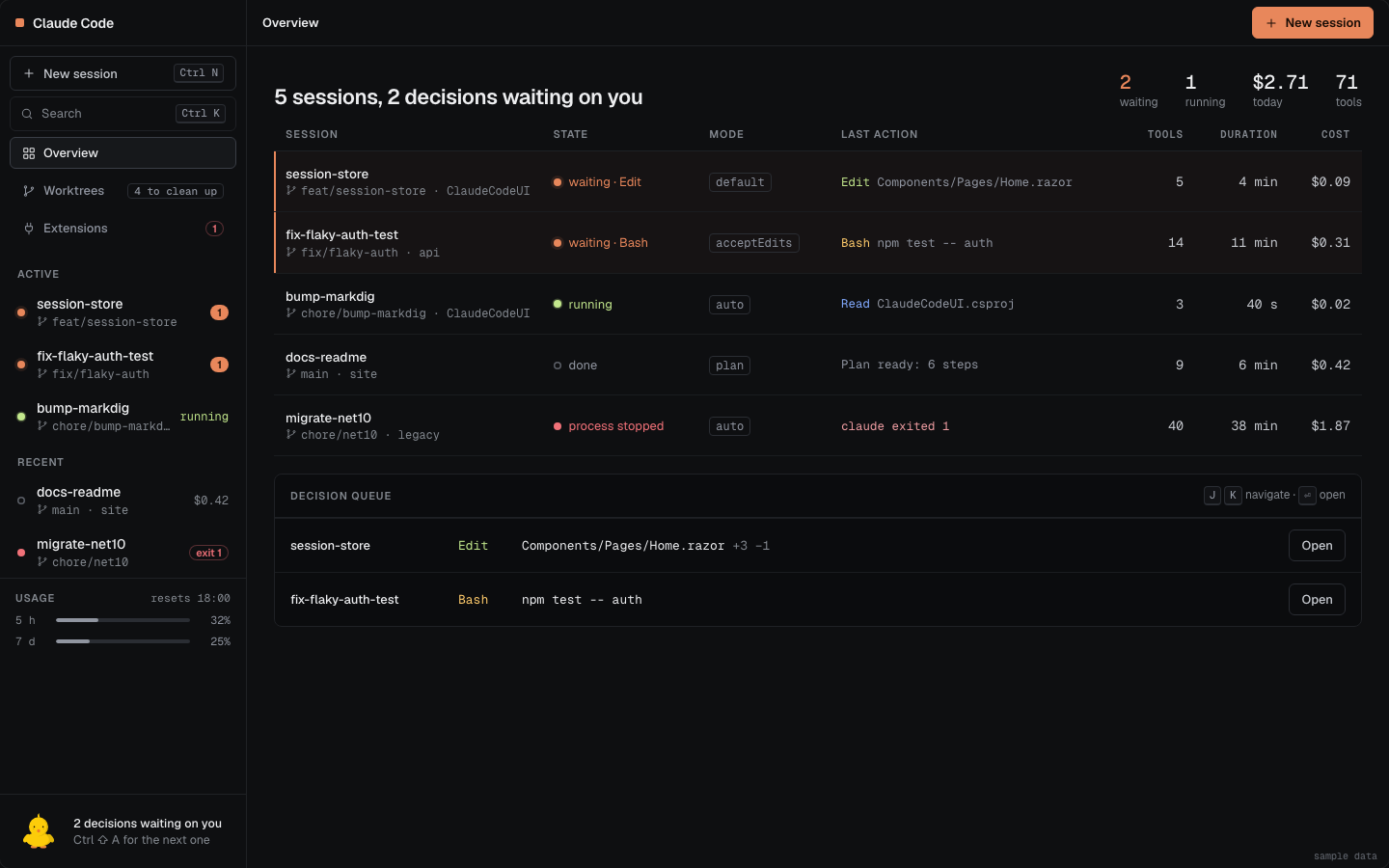
Several claude sessions run in parallel, each with its own folder and permission mode. The overview shows their state, last action and cost; the decision queue gathers everything waiting for your answer.

Overview: five sessions with their state, mode and last action, and the queue of pending decisions.
Overview and decision queuemockup, sample data
Sessions and permissions in the docs

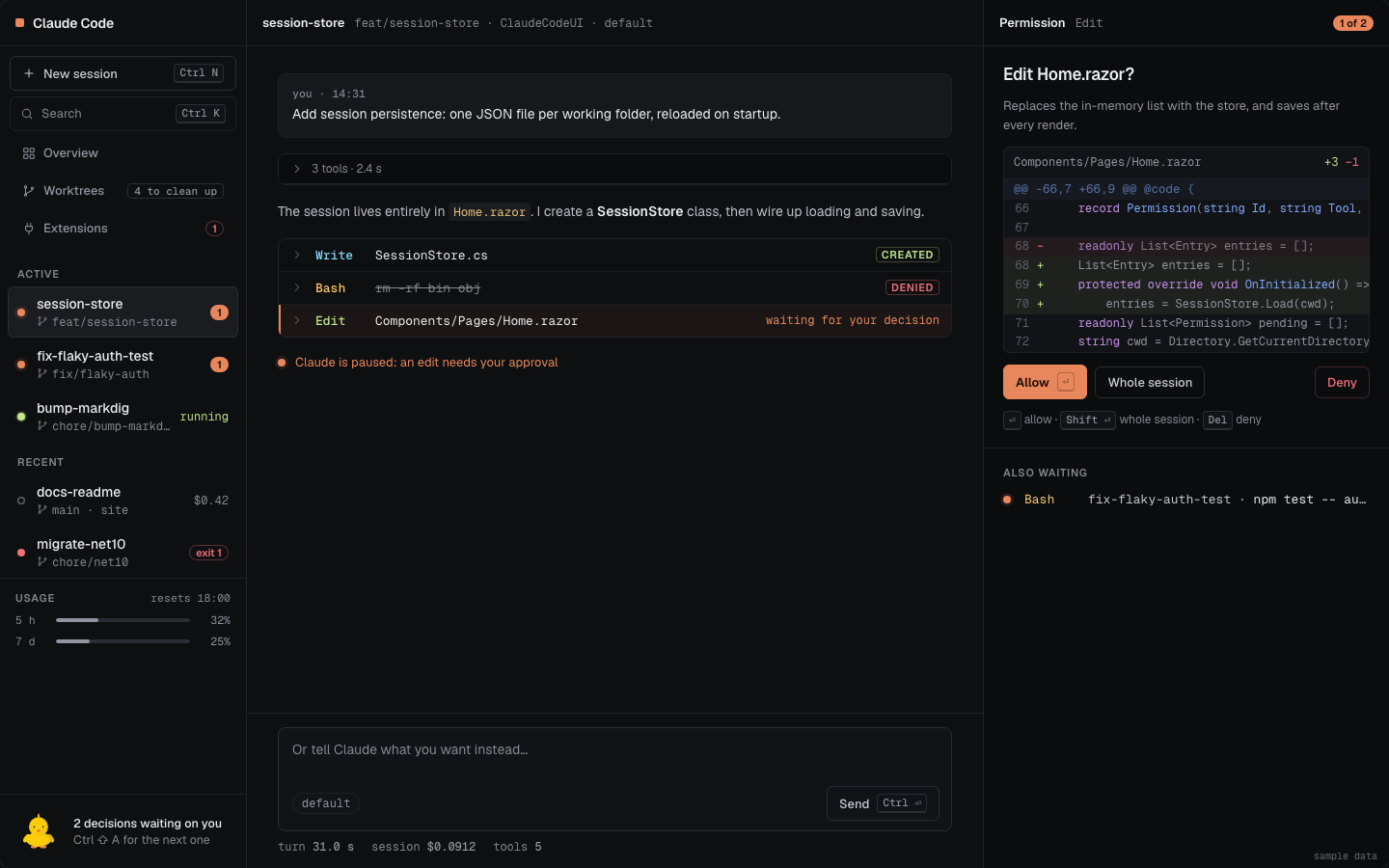
When Claude wants to edit a file or run a command, the request opens in the inspector with the full diff or the exact command. Allow ⏎, Deny Del, or Whole session Shift ⏎ when the CLI offers a rule.

Permission request: an edit to Home.razor with its diff, and the Allow, Whole session and Deny buttons.
Permission requestmockup, sample data
Responding to permissions

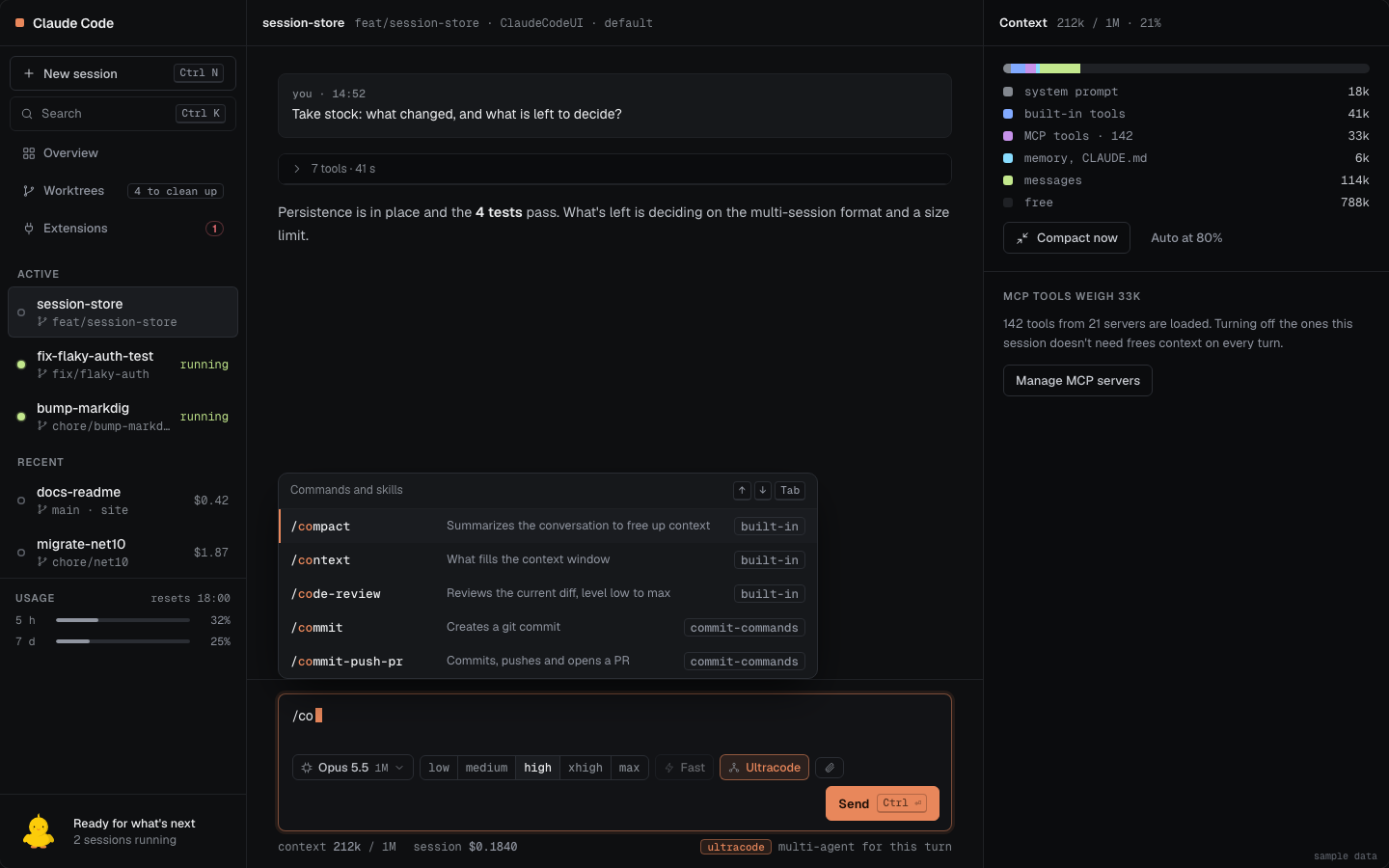
Below the input: the model (the list comes from the CLI), the effort level when the model supports it, Fast mode and Ultracode. Typing / opens the session commands, filtered as you type.

Composer: model picker, effort, Fast, Ultracode, and the slash command menu.
Composermockup, sample data
The composer in detail

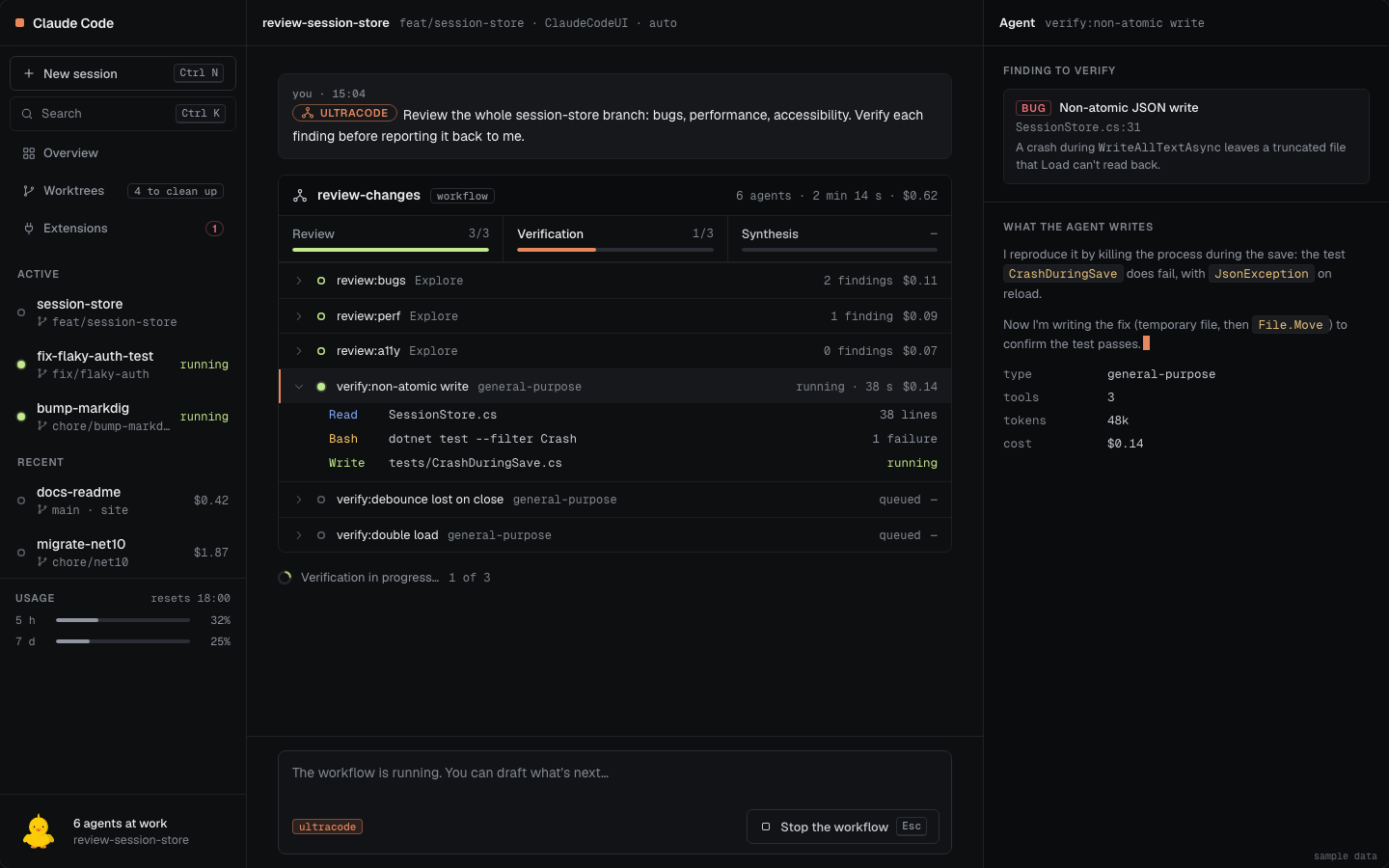
Every subagent Claude starts gets its own line: open it to read what it writes and the tools it calls. With Ultracode, a turn becomes a multi-agent workflow, with its phases and a button to stop it.

Ultracode workflow: Review, Verification and Synthesis phases, six agents and the details of the selected agent.
Ultracode and subagentsmockup, sample data
Following subagents

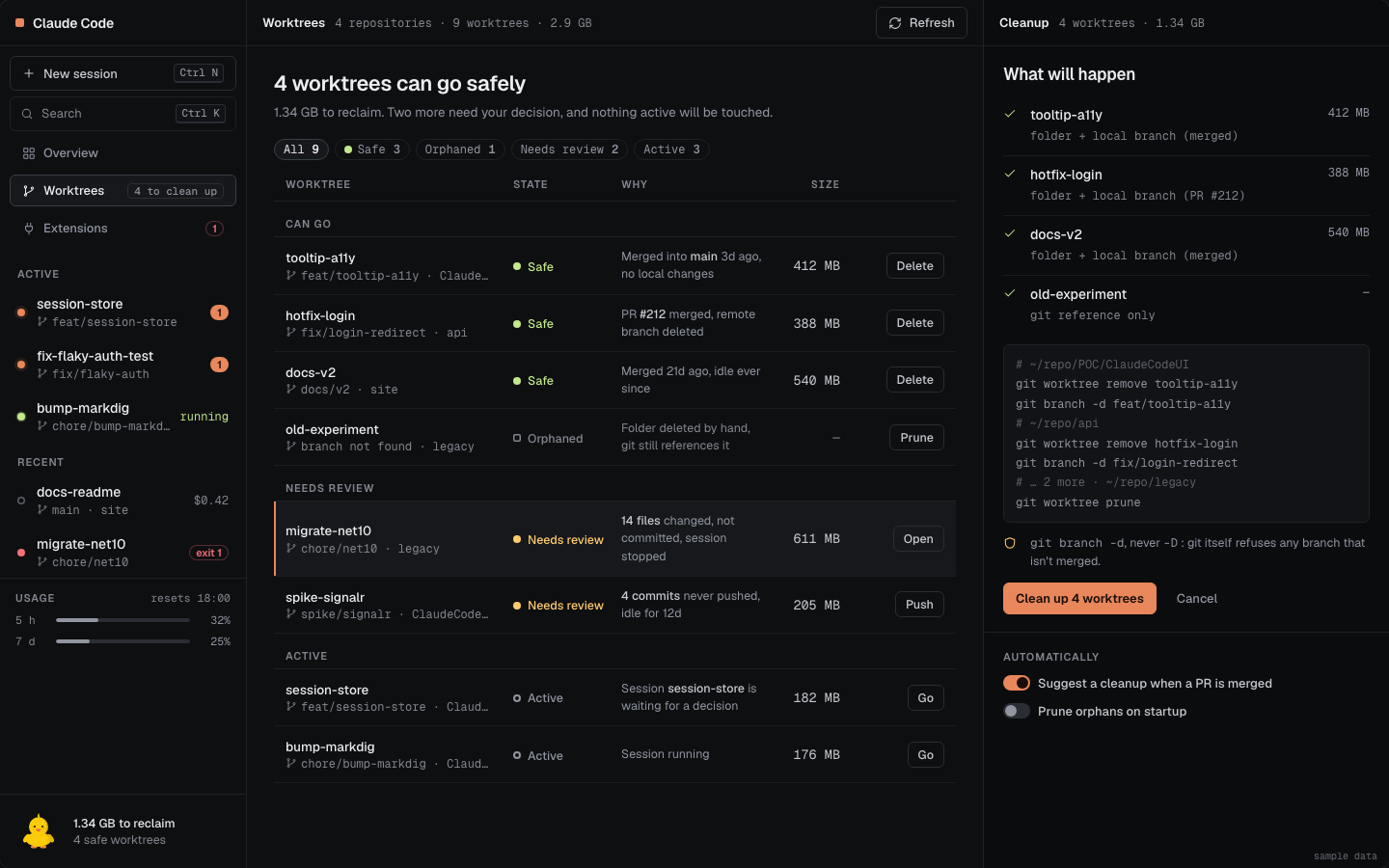
The Worktrees page sorts each worktree as Safe, Needs review, Active or Orphaned, says why, and shows the git commands before running them. Never --force or branch -D: git itself refuses to delete an unmerged branch.

Worktrees: a table ranked by state with the reason, the size, and the cleanup plan in the inspector.
Worktrees: risk-free cleanupmockup, sample data
Ranking and safeguards

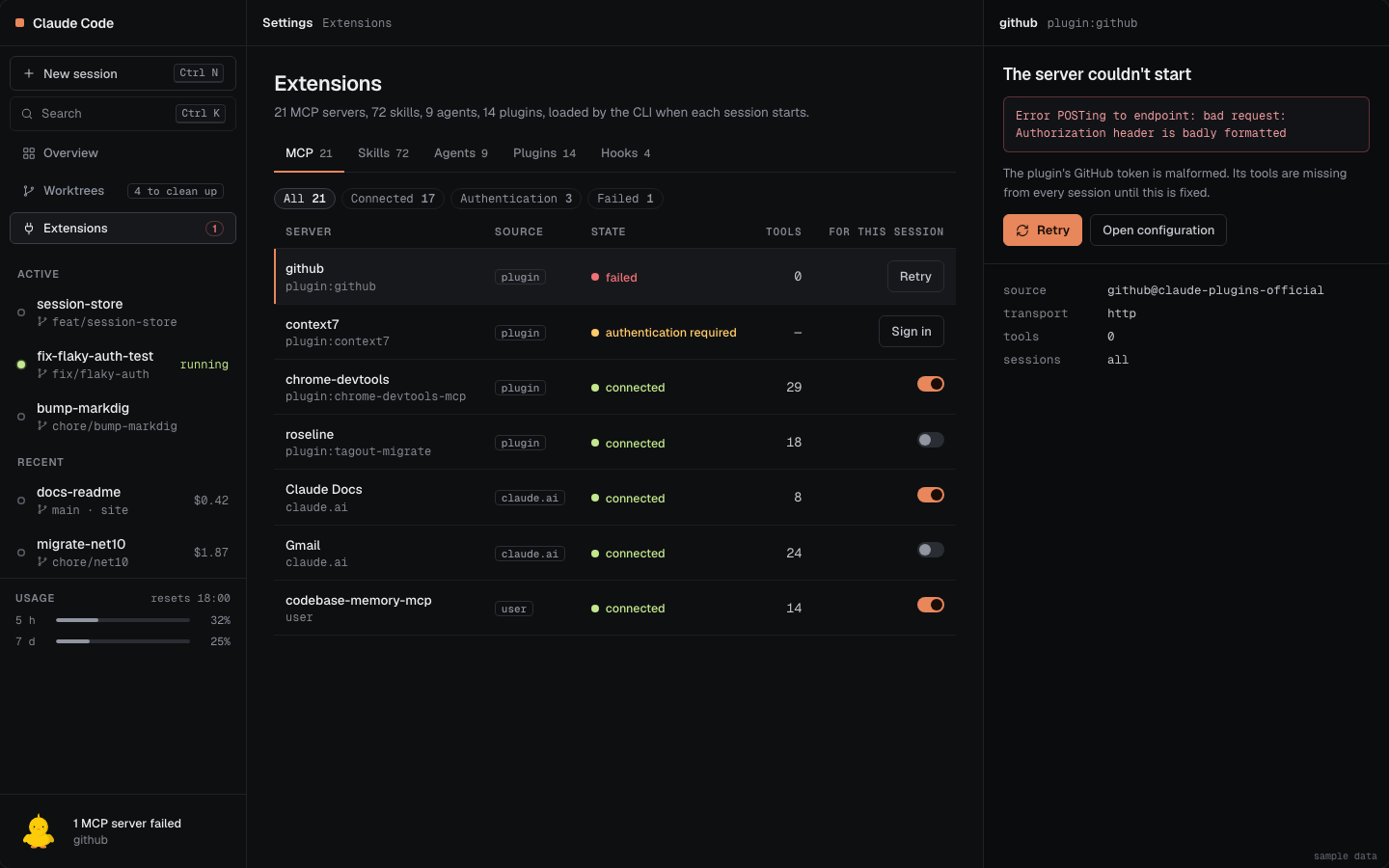
The Extensions page lists the session's MCP servers (connected, needing authentication, failed), plus its skills, agents and plugins. A toggle enables a server for the current folder, and a failed server restarts with "Retry".

Extensions: MCP servers with their state, and the Skills, Agents and Plugins tabs.
Extensionsmockup, sample data
MCP extensions

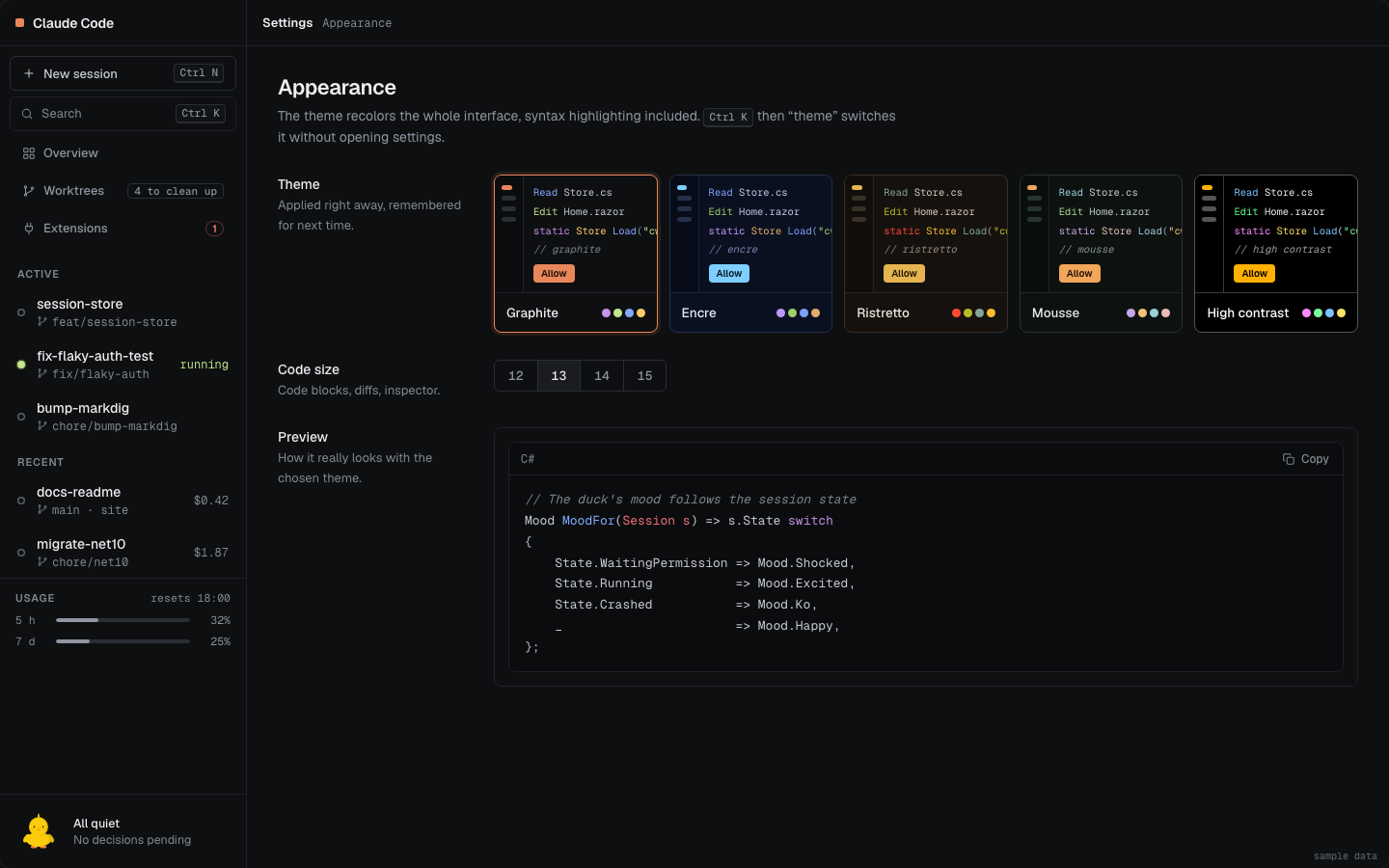
Five dark themes, Graphite, Encre, Ristretto, Mousse and High contrast, and an adjustable code size, remembered from one launch to the next. This page has them too: try the Theme picker.

Appearance: the five dark themes and the code size setting.
Appearancemockup, sample data
Themes

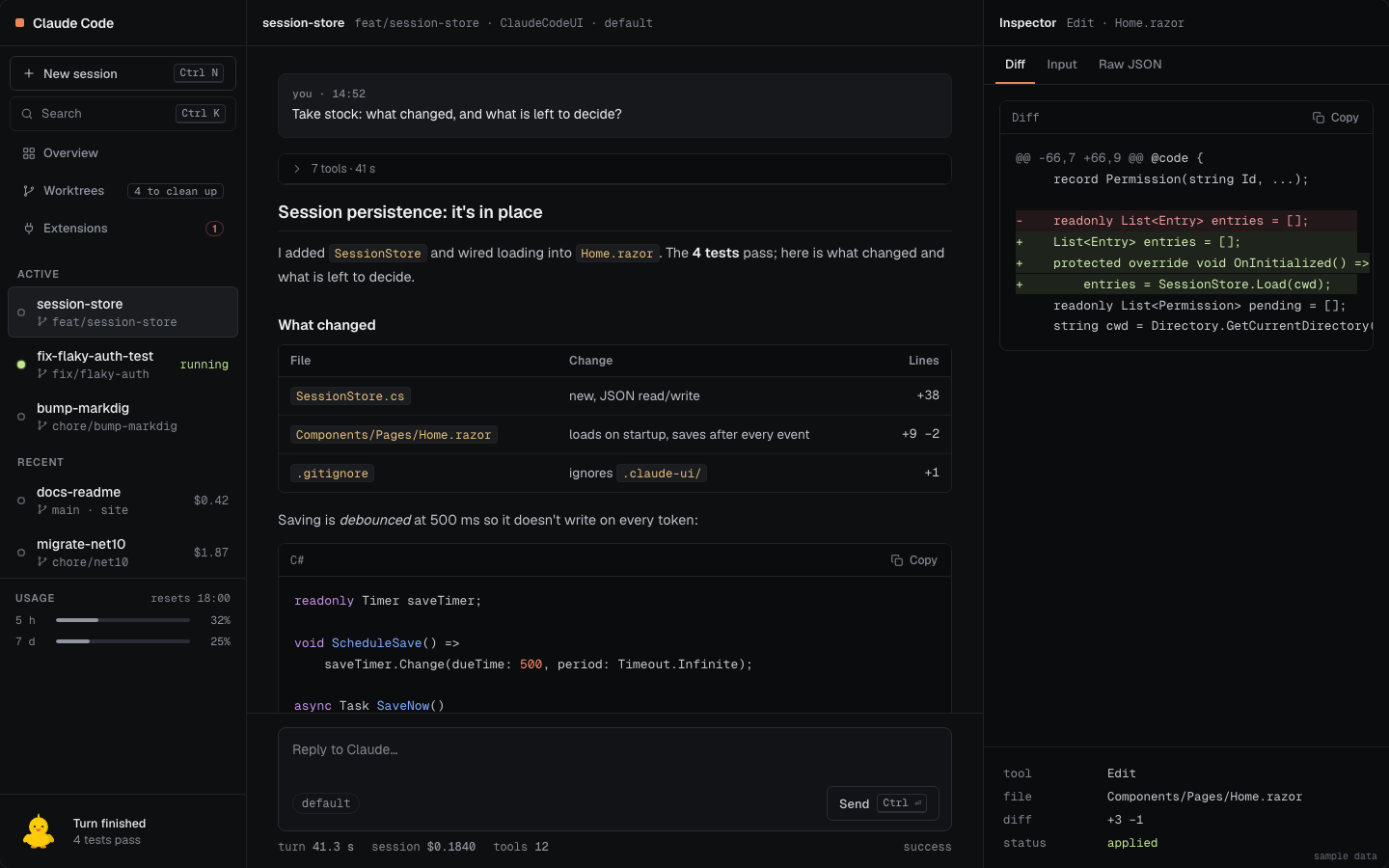
Replies are rendered as Markdown with Markdig, raw HTML disabled: headings, tables, task lists, and code blocks highlighted by highlight.js with a copy button.

Markdown rendering of a reply: headings, a table, a task list and a syntax-highlighted code block.
Markdown renderingmockup, sample data
Why no HTML

The rest is in the documentation: installation, keyboard shortcuts, worktrees, known limitations.

MIT © 2026 Atypical ConsultingReport a problemClaude Code is a product of Anthropic.